
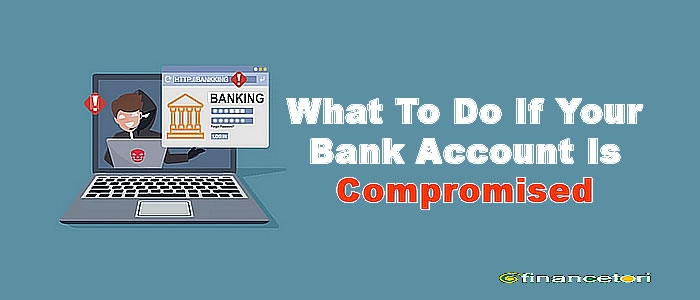
Imagine checking your phone one morning and seeing a bank alert for a ?75,000 transfer you never made. You open your mobile banking application to investigate, but you discover that your password no longer works. A few minutes later, another debit alert arrives.
You begin to wonder whether someone has accessed your account, stolen your banking details or taken control of your phone number.
This is a hypothetical example, but it illustrates a situation that banking customers should know how to handle.
A compromised bank account is an account or associated banking service that has been accessed, manipulated or used without the account holder's permission. Depending on the circumstances, the problem may involve a mobile banking application, ATM card, USSD banking service, online payment account or the phone number used to authenticate transactions.
Sometimes, an unfamiliar alert results from a delayed transaction notification, a mistaken payment or another legitimate banking activity. Nevertheless, an unexpected transaction or suspicious login should never be ignored.
The most important rule is simple: act quickly, contact your bank through official channels, secure exposed credentials and keep records of every step.
Prompt action may help your bank restrict further unauthorised activity or investigate a suspicious transfer. However, neither a reversal nor reimbursement is guaranteed.
This guide explains how to recognise possible account compromise, what to do immediately, how to report suspected banking fraud in Nigeria and how to protect your finances from further harm.
2. What Does It Mean for a Bank Account to Be Compromised?
A bank account is compromised when someone gains unauthorised access to the account or its associated services, or obtains enough sensitive information to carry out transactions without the customer's permission.
The type of compromise determines the appropriate response.
- Unauthorised mobile banking access: Someone gains access to your banking application or credentials and attempts to view information, add beneficiaries or initiate transactions.
- Stolen ATM or debit card details: Someone uses a lost card or exposed card information to attempt withdrawals or payments.
- Compromised PIN, password or OTP: A fraudster obtains a personal identification number (PIN), password or one-time password (OTP) used to authorise access or transactions.
- Unauthorised transfers or payments: Money leaves your account through a transfer, card transaction, POS payment or online purchase you did not approve.
- SIM-swap fraud: Someone fraudulently takes control of your mobile number or obtains a replacement SIM, potentially intercepting calls or messages used for account recovery.
- Compromised email account: An attacker accesses your email and may use it to reset passwords, intercept security notifications or impersonate you.
- Malicious software: An unsafe application or other malware may expose sensitive information or interfere with your device.
- Identity theft: Someone uses your personal information to impersonate you when attempting to access financial services.
A suspicious alert does not automatically mean your entire bank account has been hacked. For example, a merchant may submit a delayed payment, or a transaction you made may appear under an unfamiliar trading name.
However, you should investigate promptly through your bank's official channels rather than assuming the transaction is harmless.
3. Ten Warning Signs That Your Bank Account May Be Compromised
1. Unfamiliar transactions
You notice a transfer, cash withdrawal, POS payment or online purchase you do not recognise.
For example, your account shows a ?40,000 transfer to a beneficiary you have never paid.
What to do: Check the transaction details and contact your bank immediately if you cannot explain it. Do not wait for another debit before reporting the first suspicious transaction.
2. Unexpected debit or payment alerts
You receive an SMS, email or application notification about a transaction you did not initiate.
First, establish whether the notification is genuine. Fraudsters sometimes send fake debit alerts to frighten customers into revealing confidential information.
What to do: Open your banking application independently or contact the bank through a verified channel. Never use a suspicious message's link or telephone number to investigate the alert.
3. Login or authentication notifications you did not request
You receive a login notification, security code or authentication request despite not attempting to access your account.
This could indicate that someone has your username, password or other identifying information.
What to do: Do not approve unexpected authentication requests or share the code. Contact your bank and secure the affected credentials.
4. Your banking password or PIN no longer works
You enter your usual credentials but cannot access the application or banking service.
This may happen because of a forgotten password, a technical issue, an account lockout or an unauthorised change.
What to do: Contact the bank using its official recovery process. If you suspect someone changed your credentials, request that the bank secure the affected access before attempting recovery.
5. Unexpected password reset messages
You receive a password-reset email, verification code or confirmation of a password change you did not request.
Someone may have entered your details into a recovery process or attempted to take over the account.
What to do: Do not click unfamiliar links or disclose verification codes. Secure your email account if necessary and contact your bank to check for suspicious access.
6. Your mobile phone suddenly loses network service
Your SIM card unexpectedly stops connecting to the mobile network, even though other people nearby have normal service.
A SIM-swap attack is one possible explanation, although network outages, damaged SIM cards and device faults are also common causes.
What to do: Contact your mobile network provider through its official channels to confirm the status of your number. If you suspect a SIM swap, notify your bank immediately and request appropriate protective measures.
7. Unfamiliar beneficiaries or saved payees
You notice a new transfer recipient, saved beneficiary or payment destination that you did not add.
This may indicate unauthorised access to your banking profile, although some systems can display previously used or imported recipients.
What to do: Do not send money to the unfamiliar beneficiary. Report it to your bank and ask whether access can be restricted while the activity is investigated.
8. Unexpected changes to your contact details
Your registered phone number, email address or other account information appears to have changed without your permission.
This is particularly concerning because altered contact details may prevent you from receiving security notifications or recovering access.
What to do: Contact your bank immediately using a verified alternative channel and ask it to verify your registered details and secure your account.
9. Your banking application behaves unusually
The application repeatedly logs you out, displays unexpected settings changes or shows activity you cannot explain.
These symptoms can also result from software updates, connectivity problems or technical faults, so they do not automatically prove that your device has been compromised.
What to do: Check for suspicious activity through official bank support. Avoid installing unofficial banking applications or allowing unknown people to control your phone remotely.
10. Calls or messages request confidential banking information
Someone claiming to be a bank employee asks for your PIN, password, OTP, card security code or remote access to your device.
This is a major warning sign of attempted fraud.
What to do: End the conversation and contact your bank independently. Never reveal your confidential authentication details to a caller or message sender.
4. What to Do Immediately If Your Bank Account Is Compromised
If you discover a suspicious transaction or believe someone has accessed your account, prioritise these actions. Do not wait until you have identified exactly how the compromise occurred.
1. Contact your bank immediately
Use the verified telephone number on your bank's official website, its official application or another recognised support channel. Tell the bank that you suspect unauthorised access or transactions.
2. Request protective measures
Ask the bank to block an exposed card, restrict compromised digital access, revoke suspicious sessions or secure the affected account, as appropriate. Explain what happened so the bank can choose suitable measures.
3. Report every unauthorised transaction
Give the bank the transaction amount, date, time, reference number and recipient information where available. Ask for a formal fraud investigation and complaint reference.
4. Secure exposed credentials
Follow your bank's official process to change compromised passwords or PINs. If someone may still have access, ask the bank to secure the account before relying on a password change alone.
5. Secure your phone number and email
If your SIM may have been taken over, contact your network provider through a verified channel. Secure the email account linked to banking and any other account that could be used to reset your credentials.
6. Preserve evidence
Save alerts, statements, receipts, messages, screenshots and complaint reference numbers. Keep the original records where possible.
7. Continue monitoring your account
Check for additional transactions, new beneficiaries, changes to your contact details and other unusual activity. Report any further concerns immediately.
How to contact your bank safely
In Nigeria, you may use the customer-support number published on the bank's official website, the contact information in its verified banking application or a branch you know to be genuine.
Avoid numbers sent by an unknown WhatsApp contact, links in suspicious SMS messages or telephone numbers supplied by someone who unexpectedly calls claiming to be from your bank.
If you cannot access your banking application, use another trusted device to locate the bank's official contact information.
Do not delay reporting a suspected compromise while trying to solve it yourself. Your bank may have protective measures that you cannot activate independently.
5. How to Report Unauthorised Transactions and Request an Investigation
Reporting a suspicious transaction clearly and promptly helps establish what happened and gives the bank information to investigate.
What information should you provide?
Prepare the following details where available:
- Your name and the account or card affected, using the bank's approved identification process.
- The date and approximate time you noticed the incident.
- The amount and date of each disputed transaction.
- The transaction reference or payment identification number.
- The recipient's details or merchant name, if shown.
- Whether you initiated any related transaction yourself.
- Whether your phone, SIM card, card or banking credentials may have been exposed.
- Any relevant messages, suspicious calls or password-reset notifications.
Use the bank's official secure reporting process. Do not publish your full account number, card details, PIN, password or OTP in a public forum or social media post.
What should you ask the bank?
Ask the bank to:
- Register a formal complaint or fraud case.
- Assess and apply appropriate protective measures.
- Investigate each disputed transaction.
- Explain whether a payment recall, reversal or tracing request is available.
- Provide a complaint reference number.
- Explain the next steps, any documents required and how you will receive updates.
The bank may need to verify your identity or request supporting documents. Follow its approved process, but never disclose your PIN or password to a caller or provide an OTP to someone who contacts you unexpectedly.
Keep a record of your complaint
Record when you contacted the bank, which official channel you used, the complaint reference, the response received and any follow-up dates.
If the complaint is not resolved, these records can help you follow the bank's complaint process and escalate the matter where appropriate.
A report does not guarantee that a disputed transaction will be reversed or that you will receive reimbursement. The outcome depends on the evidence, the circumstances of the transaction, the applicable rules and the bank's investigation.
6. How to Secure Your Bank Account After a Compromise
After immediate protective action has been taken, review the security of your banking credentials, email account, mobile phone and connected services.
Use this checklist as a guide.
Account security checklist
0/14
Tick an item once you have completed it or confirmed that it does not apply to your situation.
- Change the affected banking password or PIN through the bank's official process.
- Block or replace an exposed debit card where appropriate.
- Secure the email account associated with banking.
- Change reused passwords on other affected services.
- Enable multifactor authentication where available.
- Review saved beneficiaries and recent transactions.
- Review linked devices and revoke suspicious sessions where supported.
- Remove suspicious applications and investigate possible malware.
- Update your phone's operating system and banking applications.
- Set a secure screen lock and protect access to your device.
- Review transaction limits and available security settings.
- Confirm your registered phone number and email address are correct.
- Contact your mobile network provider if SIM-swap fraud is suspected.
- Avoid using shared or untrusted devices for sensitive banking activities.
Copy security checklist
Protect your banking password and PIN
If your banking password or PIN has been exposed, change it through the bank's official process. If you suspect an attacker still has access, ask the bank to restrict access and invalidate active sessions where supported.
Do not reuse your banking password on email, social media or shopping websites. A password stolen from another service can sometimes be used to attempt access to other accounts.
Secure your email account
Your email account may receive password-reset messages and banking notifications. If an attacker controls it, they may attempt to compromise other services.
Use a strong, unique password, enable multifactor authentication where available, review recovery details and sign out unfamiliar sessions.
If you reused the same password elsewhere, change it on those services too.
Protect your mobile device
Install operating system and application updates from official sources. Remove applications you do not recognise or no longer trust, particularly those installed shortly before the incident.
If you suspect that your phone contains malware, avoid using it to change sensitive banking credentials until you have taken appropriate security steps. Use a separate trusted device and seek help from a reputable technical professional if necessary.
Never install an application or grant remote access because an unknown caller claims it is required to secure your bank account.
Secure your phone number
If your SIM is lost, stolen or suspected of being fraudulently replaced, contact your mobile network provider and ask it to secure your number and explain the official recovery process.
The Nigerian Communications Commission provides consumer guidance on SIM replacement and the risks of SIM-swap fraud.
Once your number is secure, verify that the contact details registered with your bank are correct.
Review other security settings
Where your bank supports these features, review trusted devices, active sessions, transfer limits, saved beneficiaries and transaction alerts.
Remove unfamiliar access and ask the bank which additional restrictions can be applied to your account.
Remember that no single action, including changing your password, resolves every possible form of account compromise.
7. Common Ways Bank Accounts Become Compromised
Understanding how fraud happens makes it easier to prevent future incidents.
1. Phishing emails and fake banking websites
Fraudsters send messages that imitate a bank and direct customers to counterfeit websites designed to capture login details.
Protection: Open your bank's official application directly instead of following unexpected banking links.
2. Smishing: fraudulent text messages
A text may claim that your account will be blocked or that you must verify a transaction immediately. Its link may lead to a fraudulent website.
Protection: Verify the claim independently. Never submit banking credentials through an unexpected message link.
3. Vishing: fraudulent phone calls
A caller impersonates a bank employee, asks about a supposed security incident and attempts to obtain confidential information.
Protection: End unexpected calls requesting secrets and contact the bank using a verified number.
4. SIM-swap fraud
A fraudster attempts to take control of your phone number, potentially intercepting messages or calls used in account recovery.
Protection: Keep your SIM secure, report sudden unexplained service loss and contact your network provider if a takeover is suspected.
5. Malware and malicious applications
Unsafe software may expose personal information or interfere with device security.
Protection: Download applications from official stores, review permissions and remove suspicious software.
6. Card theft or exposed card details
A lost card or stolen card information may be used for unauthorised withdrawals or online payments.
Protection: Keep your card secure, shield your PIN at ATMs and request a block promptly if the card or its details are exposed.
7. PIN theft and password reuse
Someone may observe your PIN, persuade you to reveal it or exploit a password reused across services after another website is breached.
Protection: Use unique passwords, shield PIN entry and never disclose authentication details.
8. Social engineering and fake support accounts
Fraudsters exploit trust through WhatsApp, Facebook, Instagram and other platforms, sometimes impersonating bank staff or people you know.
Protection: Verify identities independently and never share confidential banking information through private messages.
9. Unauthorised access to email or a mobile device
A stolen phone or compromised email account may expose banking notifications and password-reset channels.
Protection: Use a strong device lock, secure email recovery settings and promptly report lost devices or exposed accounts.
These methods are not mutually exclusive. For example, a phishing message may expose a password, which is then used alongside compromised email access to attempt a banking account takeover.
8. What to Do If You Have Lost Money From Your Bank Account
If an unauthorised transfer or payment has already occurred, act immediately. Do not assume that the money is permanently lost, but do not rely on a promise that it will automatically be returned.
Report the transaction immediately
Contact your bank through an official channel and identify each disputed payment. Explain that you did not authorise it and request an investigation.
If the transaction was made through a card, POS terminal, bank transfer, USSD service or online payment platform, identify the channel so the bank can determine which procedures apply.
Request available recovery measures
Ask whether the bank can initiate a payment recall, reversal, recipient-bank notification or tracing process.
For transfers to another bank, recovery may depend on whether the funds remain available, how quickly the incident was reported and the procedures available to the institutions involved.
A transfer recall request does not guarantee that the recipient's bank can retrieve the funds.
Preserve the evidence
Save transaction receipts, bank statements, alerts, messages and the complaint reference. Write down the timeline, including when you discovered the incident and when you contacted the bank.
Do not delete relevant communications before preserving the evidence.
Report suspected criminal activity
If you suspect theft, impersonation or another criminal offence, report it through appropriate law-enforcement channels. Retain any official report reference and provide supporting evidence when requested through verified procedures.
Continue monitoring your finances
Check for further unauthorised transactions, changes to account details and unfamiliar payment recipients. If you suspect several accounts have been exposed, secure them as well.
Avoid further financial loss
Do not send additional money to a stranger who claims that a transfer must be unlocked or that a refund requires an advance payment. Verify any genuine fee or procedure independently with your bank.
Financial recovery is not guaranteed. Nevertheless, prompt reporting, good records and following the appropriate process can help the investigation.
9. How to Report Suspected Banking Fraud in Nigeria
Different organisations handle different aspects of banking and digital fraud. Start with the institution directly involved, then escalate through the appropriate channels.
1. Your bank
Report the incident using the bank's verified fraud-reporting or customer-complaint channels. Ask for immediate protective measures, a formal complaint reference and an explanation of the investigation process.
2. Central Bank of Nigeria (CBN)
For complaints involving CBN-regulated financial institutions, the CBN directs customers to complain to the institution first. Its published guidance generally provides for escalation if the complaint remains unresolved within the applicable timeframe.
Read the CBN complaint-lodgement guidance and follow its current instructions.
3. Nigeria Police Force
If you suspect criminal fraud, theft, impersonation or cyber-enabled crime, you can report the matter through appropriate police channels. The Nigeria Police Force provides information about its National Cybercrime Centre.
Preserve your transaction records and provide evidence through verified official procedures.
4. Nigerian Communications Commission (NCC) and your mobile network provider
If you suspect an unauthorised SIM replacement or a problem involving your mobile number, contact your network provider first. If the telecommunications complaint remains unresolved, the NCC offers consumer complaint channels.
Visit the NCC Consumer Portal for current guidance and complaint procedures.
5. Other relevant authorities
If the incident also involves misuse of personal data, consult the Nigeria Data Protection Commission for information about data protection complaints and reporting options. The appropriate route depends on the nature of the incident.
When can you escalate a bank complaint to the CBN?
The CBN's published complaint guidance instructs customers to approach their financial institution first. Its guidance describes escalation when the bank has not resolved the complaint within the applicable timeframe. Check the latest requirements and any relevant exceptions before submitting an escalation.
An urgent suspected fraud should still be reported to the bank immediately. Do not wait for the normal complaint-resolution period before requesting protective action.
10. Common Mistakes to Avoid After an Account Is Compromised
|
Mistake |
Safer alternative |
|
Delaying contact with the bank |
Report suspicious activity immediately through a verified channel. |
|
Ignoring a small unfamiliar debit |
Investigate it; even a small transaction can be an important warning sign. |
|
Sharing an OTP, PIN or password |
Keep authentication details confidential, including during unexpected calls. |
|
Clicking recovery links in suspicious messages |
Open the bank's official application or website independently. |
|
Deleting all evidence |
Preserve messages, alerts, receipts and complaint records. |
|
Continuing to use a potentially compromised device without checks |
Secure your accounts through a trusted device and address the suspected device problem. |
|
Paying someone who promises guaranteed recovery |
Verify the person and any legitimate process independently. |
|
Assuming a password change solves everything |
Review sessions, cards, phone number, email and other access points. |
|
Posting sensitive account details publicly |
Share information only through appropriate, verified channels. |
|
Assuming every transaction will be reversed |
Ask the bank about the actual recovery process and its limitations. |
A calm, organised response is generally more useful than trying multiple unverified fixes at once.
11. How to Avoid Banking Recovery Scams
People who have lost money may be targeted again by individuals claiming to be recovery agents, cybersecurity experts, bank officials or government representatives.
These people may contact victims through WhatsApp, Facebook, Telegram, Instagram or unsolicited telephone calls. They may claim that they have traced the funds and can retrieve them if the victim pays an advance fee.
Watch for these warning signs:
- A promise that all stolen money will definitely be recovered.
- A demand for an unexplained upfront payment before any independently verifiable service is provided.
- Requests for your PIN, password, OTP or card security code.
- Requests to install remote-access software or hand over control of your device.
- An account impersonating a bank, regulator or law-enforcement officer.
- Pressure to transfer money immediately to release a supposed refund.
Some legitimate legal or professional services may charge fees, so a fee alone does not establish fraud. However, the provider's identity, qualifications, terms and authority should be independently verified.
Never share your banking credentials or cryptocurrency recovery phrase with someone claiming to recover your money. Use your bank's official channels and the relevant authorities instead.
12. Three Hypothetical Case Studies
The following examples are fictional scenarios created for educational purposes. They are not verified real-life incidents.
Case Study One: An Unauthorised Bank Transfer
Emeka receives a bank notification showing that ?120,000 has been transferred to an unfamiliar account. He did not initiate the transaction and suspects that someone may have accessed his mobile banking profile.
Warning sign: A transfer he cannot recognise or explain.
What Emeka should do:
- Contact his bank immediately through an official channel.
- Request appropriate restrictions on the affected account or digital banking access.
- Report the disputed transfer and provide the transaction reference.
- Preserve the alert, account statement and other relevant records.
- Request an investigation and ask whether a payment recall or other recovery measure is available.
Lesson: Do not wait until several transactions have occurred before reporting suspicious activity.
Case Study Two: A Suspicious Bank Representative
Ngozi receives a telephone call from someone claiming to be a bank security officer. The caller says her account is at risk and asks her to read out an OTP to prevent a fraudulent transfer.
The caller sounds professional and knows her name, which makes the request seem credible.
Warning sign: An unsolicited caller requests a confidential authentication code.
What Ngozi should do:
- End the call without disclosing the code.
- Contact the bank independently using its verified number.
- Explain what happened and ask whether there has been any suspicious activity.
- If she already disclosed the OTP, notify the bank immediately and request urgent protective measures.
Lesson: Knowing your name or other personal information does not prove that a caller represents your bank.
Case Study Three: A Sudden Loss of Mobile Network Service
Tunde's mobile phone suddenly loses network service. He assumes it is a temporary outage, but later receives a banking notification about an activity he does not recognise.
He suspects that someone may have obtained control of his mobile number.
Warning sign: Unexpected loss of mobile service combined with suspicious banking activity.
What Tunde should do:
- Contact his mobile network provider through an official channel to verify the status of his SIM.
- Notify his bank immediately and request appropriate account protection.
- Ask the network provider to investigate possible unauthorised SIM replacement.
- Secure his email and other accounts linked to the affected phone number.
- Preserve all alerts and complaint references.
Lesson: A network outage alone does not prove SIM-swap fraud. However, when it coincides with suspicious financial activity, it warrants urgent investigation.
13. Frequently Asked Questions
1. What should I do first if my bank account is compromised?
Contact your bank immediately through a verified official channel. Explain the suspected compromise, request appropriate protective measures and report any unauthorised transactions. Then secure exposed credentials, phone numbers and connected accounts, and preserve evidence.
2. Can I block my bank account using my mobile phone?
Some banks offer ways to block a card, restrict digital access or secure an account through an official application, telephone service or other approved channel. The available options differ between banks. Use verified contact details and ask the bank which measures are appropriate for your situation.
3. How can I report an unauthorised bank transfer in Nigeria?
Contact the bank that sent the money from your account. Provide the transaction amount, date, reference and recipient information where available. Request a formal complaint reference, investigation and any available payment-recall procedure.
4. Can I recover money stolen from my bank account?
Recovery may be possible, but it is not guaranteed. It depends on factors such as the payment method, reporting time, availability of funds, recipient institution, evidence and applicable procedures. Report the transaction as soon as possible.
5. Should I change my PIN after a suspicious transaction?
If your PIN may have been exposed, follow your bank's official process to change it. If you suspect an active compromise, contact the bank first or simultaneously so it can apply appropriate restrictions. Changing a PIN alone may not address other compromised access points.
6. What should I do if someone knows my bank OTP?
Do not approve unexpected requests or disclose additional codes. Contact your bank immediately, explain what happened and ask it to secure the affected account. If you have already shared an OTP, tell the bank honestly so it can assess the risk.
7. How do I know if my mobile banking application has been hacked?
Unfamiliar transactions, unexpected password changes, suspicious logins and unknown beneficiaries may indicate compromise. However, unusual application behaviour can also result from technical problems. Verify the activity with your bank rather than relying on one symptom alone.
8. What should I do if my SIM card suddenly stops working?
Contact your mobile network provider through an official channel to check whether there is a network problem or an unauthorised SIM replacement. If you suspect SIM-swap fraud, notify your bank immediately and ask it to secure your account.
9. Can someone access my bank account through my email?
A compromised email account may allow someone to attempt password resets, view security notifications or impersonate you. Secure your email with a unique password, multifactor authentication where available and verified recovery details. Notify your bank if the email account may have exposed banking access.
10. Will my bank refund money stolen by fraudsters?
Not automatically in every case. The outcome depends on the circumstances, evidence, applicable rules and the bank's investigation. Report the incident promptly, cooperate with the investigation and follow the bank's formal complaint procedure.
11. How can I contact my bank safely after a suspected compromise?
Use the telephone number published on the bank's official website, the contact details in its verified application or a recognised branch. Do not trust unexpected callers, social media accounts or message links merely because they use the bank's logo.
12. How can I prevent my bank account from being compromised again?
Use unique passwords, protect your PIN and OTP, update your devices, avoid suspicious links, secure your email and phone number, enable available security features and monitor transactions regularly. Report suspicious activity promptly.
14. Five Additional SEO-Focused FAQs
1. Can someone steal money from my bank account using only my account number?
An account number is commonly shared to receive legitimate transfers, and it does not by itself normally provide the access needed to withdraw money. However, fraudsters may combine it with other personal information or use it in impersonation attempts. Share details thoughtfully and never disclose your PIN, password or OTP.
2. What should I do if I clicked a fake bank link but did not enter any information?
Close the page and do not download anything from it. If you did not enter details or install software, the risk may be lower, but it is sensible to check your device and account activity. If you downloaded a file, granted permissions or suspect malware, use a trusted device to secure your accounts and seek appropriate technical assistance.
3. Can a fraudster access my bank account through USSD banking?
Unauthorised access may be attempted through compromised credentials, SIM-swap fraud, deception or other weaknesses in the account's security. The precise risks depend on the bank's system and the circumstances. Never share confidential authentication details, and contact your bank immediately if you suspect unauthorised USSD transactions.
4. Should I uninstall my banking application after a suspected hack?
Not automatically. First contact your bank and follow its security instructions. If the application itself appears suspicious or the device may contain malware, avoid using that device for sensitive transactions until the problem has been assessed. Reinstall applications only from official sources and do not mistake reinstalling for a complete account recovery process.
5. How long does it take to investigate an unauthorised bank transaction in Nigeria?
The time varies depending on the type of transaction, evidence, payment channel and institutions involved. Ask your bank for its complaint reference, the applicable investigation procedure and expected next steps. For complaints involving CBN-regulated financial institutions, consult the CBN's current complaint-escalation guidance if the matter remains unresolved.



 How To Apply For Credicorp Loan In Nigeria 2026