
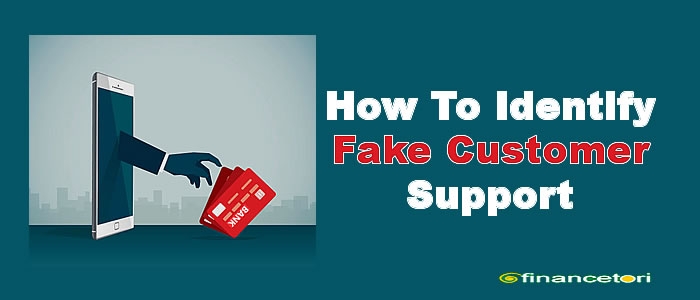
Why Fake Customer Support Is a Growing Concern
Imagine this hypothetical scenario: A Nigerian bank customer experiences a failed transfer and searches online for the bank's customer service number. The customer finds a number in a social media comment and calls it. The person who answers sounds professional, knows the name of the bank and promises to resolve the problem. However, the supposed representative asks for the customer's one-time password (OTP) to complete the process.
The customer shares the code, believing it is a normal security procedure. Shortly afterwards, an unauthorised transaction appears in the account.
The problem is that the person was not a genuine bank representative. The customer had contacted a fraudster pretending to provide support.
This example illustrates why knowing how to identify fake customer support is essential for anyone who uses digital services.
People contact customer service for many legitimate reasons. A bank transfer may fail, a mobile network may stop working, an online order may not arrive, or an email account may become inaccessible. When these problems occur, people naturally want quick assistance.
Fraudsters exploit this need for help. They may create fake social media accounts, publish misleading phone numbers, build imitation websites, send fraudulent emails or make calls pretending to represent trusted companies. Some even monitor public complaints and approach people who have openly requested assistance.
These scammers may appear convincing. They can copy company logos, use professional language, quote reference numbers and create a sense of urgency. Some claim that an account is compromised and that immediate action is required to protect it.
The consequences can include stolen passwords, account takeovers, identity theft, unauthorised transactions and exposure of private information.
The good news is that you can reduce the risk by recognising suspicious behaviour, verifying support channels independently and knowing what to do when something feels wrong. You do not have to assume that every unexpected message is fraudulent; you simply need to verify who you are dealing with before sharing sensitive information or taking action.
What Is Fake Customer Support?
Fake customer support is fraudulent communication from a person or organisation pretending to represent a legitimate company, service provider, platform or technical support team.
The scammer may claim to work for a bank, fintech company, mobile network operator, online marketplace, social media platform, email provider, cryptocurrency exchange or government agency.
The aim is often to steal information, gain access to an account, persuade someone to approve a transaction or obtain money under false pretences.
Legitimate customer support helps customers resolve problems through the organisation's approved procedures. Impersonation fraud occurs when someone falsely claims to represent that organisation or misuses its identity to deceive people.
For example, a genuine bank representative may guide a customer through an approved process for disputing a transaction. A fake representative may instead ask the customer to disclose an OTP, reveal a PIN or transfer money into an unfamiliar account.
Fraudulent support can begin in different ways. A scammer may contact you directly, or you may unknowingly contact the scammer after finding a fake support number through a search engine, social media comment, online advertisement or unofficial website.
This distinction matters: you do not have to wait for a suspicious person to contact you. Sometimes, the scam begins when you search for help.
How Fake Customer Support Scams Work
Although not every scam follows the same pattern, customer support impersonation often involves several stages.
- Creating a convincing identity: The scammer copies a company's logo, name, website design, email signature or social media profile picture.
- Finding potential victims: They send unsolicited messages, monitor public complaints or create fake support pages where customers are likely to look for assistance.
- Establishing trust: They use professional language, refer to the reported problem or pretend to have access to account information.
- Creating urgency: They may threaten account suspension, claim that funds are at risk or insist that a problem must be resolved immediately.
- Requesting sensitive information: They ask for passwords, PINs, OTPs, recovery codes, payment details or other confidential information.
- Gaining access or extracting money: They persuade the victim to disclose authentication codes, approve a transaction, install remote-access software or send funds.
- Disappearing or continuing the fraud: They may block the victim, abandon the fake profile or contact the victim again while pretending to recover lost money.
The scammer may combine several tactics. For instance, a fake bank representative might call after the customer has commented publicly about a failed transfer, then send a fraudulent link through WhatsApp.
Understanding this process makes it easier to recognise manipulation before it causes harm.
15 Warning Signs of Fake Customer Support
Recognising suspicious behaviour early can help you avoid customer service fraud. The following warning signs should prompt you to pause and verify the representative independently. No single sign proves fraud in every situation, but several warning signs together deserve particular caution.
1. An unexpected message about an urgent account problem
You may receive a message claiming your bank account has been compromised, your email will be closed or your delivery is being held.
Why it matters: Scammers use unexpected alerts to make people react before thinking carefully.
What to do: Do not follow the message's links or use its contact details automatically. Open the official application or website separately and check your account.
2. Requests for your password, PIN or OTP
A caller may claim that your password, ATM PIN or OTP is required to verify your identity or cancel a suspicious transaction.
Why it matters: Authentication details can allow someone to access your account or approve an action in your name.
What to do: Never disclose your password, PIN or OTP to a support representative. Enter verification codes only into a legitimate service or authentication process that you initiated and understand.
3. Demands for payment before ordinary customer support
A supposed representative may request an advance payment to unlock an account, investigate a complaint or activate a refund.
Why it matters: Scammers may invent service charges or administrative fees to obtain money.
What to do: Check the provider's official fee schedule and procedures. Do not pay an individual through an unverified channel.
4. Requests to transfer money to a personal account or unfamiliar wallet
Someone may claim that your funds must be moved to a “safe account” while your bank investigates suspicious activity.
Why it matters: This is a dangerous request because the money may go directly to the scammer.
What to do: Do not transfer funds based on an unexpected call or message. Contact your bank through its verified channel and ask it to investigate.
5. Pressure to act immediately
A fake representative may threaten to block your account, cancel your order or suspend your SIM unless you comply immediately.
Why it matters: Urgency is used to stop you from checking whether the request is genuine.
What to do: Pause the conversation. A claim of urgency does not remove the need for independent verification.
6. Fake or lookalike social media profiles
A profile may copy a company's logo, display a familiar name or use a username similar to the genuine support account.
Why it matters: Profile pictures and branding are easy to copy. Even an account that looks professional may be fraudulent.
What to do: Find the support profile through the company's established official website or application. Do not rely on a profile picture or apparent verification badge alone.
7. Suspicious email addresses or website domains
A fraudulent website may use a slightly altered company name, an extra word or a different domain ending.
Why it matters: A small difference in a web address can lead you to a site controlled by someone else.
What to do: Check the entire domain carefully. Avoid logging in through unfamiliar links and navigate to the provider's known website independently.
8. Phone numbers from unverified comments or advertisements
A person may post a “customer care number” beneath a public complaint or advertise a support line through an unofficial page.
Why it matters: Fraudsters may deliberately position fake contact details where frustrated customers are searching for help.
What to do: Obtain the number from the official website, the provider's genuine application or trusted documentation. Do not assume a highly visible search result is authentic.
9. Requests to install unfamiliar applications
A representative may ask you to install an application to fix a banking, network or computer problem.
Why it matters: An untrusted application may steal information, display fraudulent login screens or give someone unwanted access to your device.
What to do: Do not install software at a stranger's request. Verify the purpose and authenticity of any required application through the provider's official support channel.
10. Unexpected requests to share your screen or grant device control
Someone may ask you to share your screen, enable accessibility permissions or install remote-access software.
Why it matters: Screen sharing can expose notifications, account details and verification codes. Remote-control tools may allow another person to interact with your device.
What to do: Decline unexpected requests. Only use remote assistance when you have independently verified the provider, understand the risks and have a legitimate reason to proceed.
11. Links to fake login pages or suspicious forms
A message may direct you to a page that resembles your bank's login screen or ask you to complete a form to receive a refund.
Why it matters: These pages may collect passwords, card information, identity details or authentication codes. This technique is commonly called phishing — using deceptive messages or websites to trick people into revealing information or taking unsafe actions.
What to do: Avoid entering information through unexpected links. Open the official service separately and check whether the request exists.
12. Pressure to move to a private messaging platform
A representative may insist that you leave an official support channel and continue through a personal WhatsApp number or another private account without a clear reason.
Why it matters: The change can make independent verification more difficult and move the conversation away from the company's normal complaint process.
What to do: Keep the conversation on an established support channel whenever possible. If a transfer to another channel is genuinely required, verify the procedure independently first.
13. Claims that security procedures can be bypassed
A supposed agent may promise to unlock an account instantly, recover money without an investigation or bypass normal verification.
Why it matters: Such promises may be designed to make you trust the person or pay for a service that does not exist.
What to do: Follow the provider's documented process. Treat guaranteed recovery claims and requests to bypass safeguards with caution.
14. Requests to disable security or approve unexpected transactions
A scammer may tell you to turn off security settings, ignore a fraud warning or approve a transaction to “reverse” a payment.
Why it matters: These instructions may remove protections or cause you to authorise the very transaction you want to prevent.
What to do: Do not approve a transaction you did not initiate or understand. End the interaction and contact the provider independently.
15. Inconsistent explanations or refusal to let you verify
The representative may give conflicting answers, avoid basic questions about the official process or discourage you from contacting the company directly.
Why it matters: A genuine process should allow you to check the information through established channels, even if the representative cannot disclose certain internal details.
What to do: Stop and verify independently. Remember that polished communication does not prove legitimacy, and poor spelling alone does not prove fraud. Assess the entire situation.
Where Fake Customer Support Scams Commonly Occur
1. Social media
Fraudulent accounts appear on platforms such as Facebook, Instagram, TikTok and X. Scammers may respond to public complaints, send direct messages or create profiles that resemble official company accounts.
For example, after someone posts about a failed bank transfer, a fake support profile may reply, “Send us your account details privately so we can resolve this.”
Avoid publishing sensitive account information in public complaints. Find the company's official support account through its established website, not through a stranger's reply.
2. WhatsApp and other messaging applications
A scammer may use a copied company logo, business name or professional-looking profile to appear trustworthy. They may claim to represent a bank, delivery service, telecom operator or investment platform.
A familiar display name does not prove the sender works for the organisation. Be cautious when an unknown contact asks for verification codes, payments or personal documents.
3. Phone calls and text messages
Fraudsters may call while pretending to be bank employees, telecom agents or technical support staff. They may also send SMS messages claiming that a transaction has failed or an account requires immediate verification.
Some use caller-ID spoofing, a technique that makes a call appear to come from a different number. Therefore, even a familiar-looking number is not conclusive proof of identity.
End a suspicious call and contact the organisation using a trusted number obtained independently.
4. Email and fake websites
Fraudulent emails may imitate a company's branding and direct recipients to fake login pages. A deceptive web address may look almost identical to the genuine one.
Avoid opening unexpected attachments or entering credentials through links in unsolicited messages. If an email claims that your account needs attention, open the service independently and check for alerts there.
5. Search engines and online advertisements
People sometimes search for help when they are locked out of an account or cannot reach customer service. Fraudulent websites and advertisements may appear alongside legitimate results.
Do not assume the first result is the official one. Check the domain, compare it with the company's known web address and use contact details from a trusted source.
6. Cryptocurrency, investment and digital wallet platforms
Scammers may offer to recover lost cryptocurrency, unlock a wallet, reverse a transaction or release investment profits.
A wallet's recovery phrase or private key can give someone control over its assets. Never disclose these details to a supposed support agent. Treat unexpected recovery offers with particular caution, especially if payment or access to your wallet is required first.
How to Verify Whether Customer Support Is Genuine
If you are unsure whether a representative is legitimate, use the following verification process before sharing information, installing software or making a payment.
- Visit the official website independently. Type a web address you already know or use a trusted bookmark. Do not rely on a link sent by the person you are trying to verify.
- Check the official application. If you use a banking, fintech or shopping app, look for its built-in help or contact section.
- Find social media accounts through official channels. Use links published on the company's established website or application. Do not trust a profile simply because it has a familiar logo or many followers.
- Inspect the web address carefully. Look for misspellings, extra words, unexpected domain endings or other differences from the known official domain. A padlock or HTTPS connection alone does not prove a website is genuine.
- Contact the company through a different trusted channel. If someone calls you, end the call and independently obtain the official contact details. Do not simply call back a number supplied by the caller.
- Verify the case or reference number. Ask the company to confirm the complaint through its official support process. Remember that scammers can invent employee names, reference numbers and case IDs.
- Check the requested procedure. Compare the instructions with the company's published security guidance. Be particularly cautious about requests for credentials, transfers, remote access or unexpected transaction approvals.
- Refuse unsafe requests. Do not reveal passwords, PINs or OTPs to a representative, transfer money to a supposed safe account or disable security protections under pressure.
- Take time to think. If the representative discourages independent verification, end the interaction and investigate the claim separately.
How Nigerian customers can find genuine support
If you bank with a Nigerian financial institution, use the bank's independently verified website, official mobile application or trusted account documentation to find its support details. Do the same for fintech providers, mobile network operators and online marketplaces.
Where appropriate, you can also consult official regulator websites:
- The Central Bank of Nigeria (CBN) provides guidance on complaints involving financial institutions within its regulatory scope. Its complaints management page explains the complaint and escalation process.
- The Nigerian Communications Commission (NCC) publishes information on telecommunications consumer complaints and complaint management. Visit its official website or consumer complaints portal.
- The Securities and Exchange Commission Nigeria (SEC) provides investor alerts and resources for reporting suspected securities-related misconduct. Consult its official website when a matter involves an investment platform or capital-market service.
Always confirm that you are visiting the genuine regulator website. A scammer may also imitate a regulator or falsely claim that an official agency has endorsed a company.
Information Genuine Customer Support Should Not Need From You
Some legitimate services need limited information to locate an account or investigate a complaint. For example, a representative may ask for your name, a complaint reference or certain account-identification details through an approved process.
However, you should not disclose the following confidential information to a support representative:
- Passwords: These may give direct access to your account.
- ATM or card PINs: These are confidential credentials, not details to reveal to a caller.
- One-time passwords (OTPs) and authentication codes: These may authorise logins, payments or changes to account settings.
- Internet banking credentials: Do not disclose your username and password combination or other login secrets to a representative.
- Full card security codes: Do not provide your card's security code in response to an unsolicited request.
- Cryptocurrency recovery phrases and private keys: Anyone who obtains them may be able to control your wallet and its assets.
- Account recovery codes: These can sometimes bypass normal account protection.
- Unnecessary identity documents or personal information: Avoid sending identity documents through unverified channels or providing more information than the verified process requires.
Multifactor authentication (MFA) is a security method that requires more than one form of proof to access an account. An OTP may be one part of that process. If you receive a code unexpectedly, do not share it with a caller or message sender.
Legitimate identity-verification procedures vary by organisation. The important distinction is between completing a clearly understood process through a verified channel and revealing confidential information to an unverified person. When in doubt, stop and check the provider's official security guidance.
Five Hypothetical Examples of Fake Customer Support
The following examples are fictional and illustrate how impersonation scams may unfold.
Scenario 1: A fake bank representative
What happens: A customer receives a call from someone claiming that suspicious activity has been detected on their bank account. The caller asks for an OTP to stop the transaction.
Why it seems convincing: The caller sounds confident and describes a situation that could reasonably worry a bank customer.
Warning signs: The unexpected request for an OTP and pressure to act immediately.
Safest action: Do not disclose the code. End the call and contact the bank using a verified number or its official application. If an unauthorised transaction has already occurred, report it immediately.
Scenario 2: A fraudulent telecom agent
What happens: A person claiming to work for a mobile network operator says the customer's SIM needs an urgent update. They request an OTP sent to the customer's phone.
Why it seems convincing: The customer may recently have experienced network problems and believe the call is related.
Warning signs: An unexpected request for an authentication code and an unverified caller.
Safest action: Do not share the code. Contact the telecom provider through its official customer service channel to confirm whether any action is needed.
Scenario 3: A fake online shopping representative
What happens: After a failed online order, a customer receives a message offering a refund. The sender supplies a link to a form asking for card details and banking credentials.
Why it seems convincing: The customer is already expecting a refund and wants the matter resolved.
Warning signs: The unsolicited form, the unfamiliar link and the request for excessive financial information.
Safest action: Open the shopping platform independently, check the order and follow its documented refund process. If necessary, contact the seller through the official platform.
Scenario 4: A social media account recovery scam
What happens: Someone whose social media account has been suspended receives a message from an account claiming to provide specialist recovery services. The supposed agent asks for login details and a recovery code.
Why it seems convincing: The customer is anxious about losing access and wants a quick solution.
Warning signs: An unverified recovery service, a request for confidential credentials and a promise to bypass the platform's normal procedures.
Safest action: Use the platform's official account recovery process. Do not disclose your password or recovery codes to the person offering assistance.
Scenario 5: A fake cryptocurrency support agent
What happens: A wallet user receives a message from someone claiming to help recover missing cryptocurrency. The agent asks for the wallet's recovery phrase.
Why it seems convincing: The user may be distressed about missing assets and willing to try anything that promises recovery.
Warning signs: A request for the recovery phrase and a promise of assistance that requires surrendering control of the wallet.
Safest action: Never share the phrase. Access support through the wallet provider's independently verified channel. If the phrase has already been disclosed, assume the wallet may be compromised and take urgent steps to secure any remaining assets.
These examples share a common lesson: verify the representative independently before taking action, particularly when money or confidential information is involved.
What to Do If You Have Contacted Fake Customer Support
If you suspect that you have interacted with a scammer, act promptly. The right response depends on what you shared or authorised, but early action may reduce further harm.
1. Stop communicating with the suspected scammer
Do not send additional money, codes or documents. Do not follow further instructions, even if the person claims that another payment is needed to reverse the first one.
Save relevant evidence before blocking or reporting the account, where it is safe to do so.
2. Contact the affected bank or service provider
Use a verified channel, such as the official application, independently obtained phone number or genuine website.
Explain what happened and ask what immediate protective measures are available. If money is involved, contact the bank or payment provider promptly and report the transaction as suspicious or unauthorised, as applicable.
3. If you shared a password or OTP
From a trusted device, change the compromised password immediately. If you reused that password elsewhere, change it on those accounts too, starting with your email and financial accounts.
Contact the affected service to report the disclosure. Ask whether it can revoke active sessions, reset authentication methods or apply additional protections.
If you disclosed an OTP, explain what the code was intended for if you know. Do not assume that changing your password alone has resolved the incident.
4. If you disclosed card or banking information
Contact your bank or card issuer immediately. Explain which details were exposed and ask whether your card or account access needs to be blocked, replaced or reset.
Review recent transactions and report suspicious activity. Do not wait for another transaction to occur before alerting the provider.
5. If you approved or transferred money
Contact your bank or payment provider immediately. Give the transaction date, amount and reference, and explain that you believe you were deceived.
Ask whether the payment can be stopped, recalled, disputed or traced. The available options depend on the payment method, timing and circumstances. Recovery is not guaranteed, but prompt reporting may improve the opportunity to take action.
Do not pay a stranger who promises to recover your funds in exchange for an advance fee.
6. If you clicked a suspicious link
Simply opening a link does not always mean your account or device has been compromised. However, if you entered a password, supplied a code, downloaded a file or approved a request, treat the incident more seriously.
Close the suspicious page, avoid entering further information and use a trusted route to check your account. If you supplied credentials, change them from a trusted device and contact the affected provider.
7. If you installed remote-access software
If you suspect someone is actively controlling your device without authorisation, disconnect it from the internet if you can do so safely. Use a separate trusted device to contact your bank or affected service.
Do not continue using the potentially compromised device for sensitive transactions until it has been checked. Seek qualified technical assistance to remove unauthorised software and review the device's security.
If the device belongs to your employer, contact the appropriate IT or security team.
8. If you shared identity documents
Tell the affected service provider what you disclosed. Monitor relevant accounts and communications for suspicious activity, and be cautious of follow-up messages that use your personal details to appear legitimate.
Preserve the evidence and follow the guidance of the relevant institution or authority on additional protective measures.
9. If you disclosed a cryptocurrency recovery phrase or private key
Assume that the wallet may be compromised. If assets remain, use a trusted, secure device and a newly secured wallet to move them, provided you understand the process and can do so safely.
Never disclose the new wallet's recovery phrase. If you are unsure how to proceed, consult trustworthy technical guidance without sharing your secret credentials. Transactions on many blockchain networks cannot be reversed, and lost assets may not be recoverable.
10. Preserve evidence and report the incident
Keep screenshots, messages, usernames, phone numbers, email details, transaction references, dates and other relevant information. Do not alter the evidence unnecessarily.
Report the fake account to the platform and the incident to the relevant bank, service provider or authority. Continue monitoring affected accounts for suspicious activity.
Taking these steps cannot guarantee that you will recover money or data, but it can help limit additional damage.
How to Report Fake Customer Support in Nigeria
Reporting suspected impersonation can help the affected organisation investigate the incident and may help prevent further harm. The appropriate reporting route depends on whether the incident involves a bank, telecommunications service, investment platform, social media account or another service.
1. Report the incident to the impersonated company
Contact the organisation through its independently verified website or application. Provide the fake account's username, phone number, email address, message screenshots and any relevant reference numbers.
Ask the organisation to investigate the impersonation and explain what additional information it needs. Do not send your password, PIN or OTP as evidence.
2. Contact your bank or payment provider
If you disclosed banking details, approved a suspicious transaction or transferred money, contact the affected bank or payment provider immediately.
Report the incident even if the amount appears small. Provide the transaction details and ask what steps are available to protect your account and pursue the disputed payment.
For complaints against financial institutions regulated by the CBN, its official complaints management guidance advises customers to complain to their institution first and explains when a matter may be escalated to the CBN. Follow the current procedure published by the regulator.
3. Report the fake profile or message to the platform
Use the reporting features provided by the relevant social media, messaging, email or shopping platform. Include evidence of impersonation where possible.
A platform report may help it review or restrict a suspicious account, but it does not replace reporting a financial loss to your bank or the appropriate authority.
4. Use relevant Nigerian regulatory channels
Depending on the circumstances, the following official resources may help:
- Telecommunications complaints: The NCC website and consumer complaints portal provide resources for telecommunications consumer issues. First contact your network provider through a verified channel and follow the applicable escalation procedure.
- Investment-related fraud: The SEC Nigeria website publishes investor alerts and information on reporting suspected securities-related misconduct. Verify an investment company's status through the SEC's official resources rather than relying on a representative's claims.
- Cybersecurity incidents: The Nigeria Computer Emergency Response Team (ngCERT) publishes cybersecurity advisories and incident-response guidance. Consult its official website for relevant information.
You can also report suspected criminal activity to the Nigeria Police Force through its official channels. Verify the current reporting process on the Nigeria Police Force website before submitting information.
Important: Reporting routes and procedures can change. Use official websites to confirm current details, and do not rely on contact information sent by the suspected scammer. If money has been lost, notify the payment provider promptly even while pursuing other reporting options.
How to Protect Yourself from Future Scams
Good security habits make it harder for fake customer support representatives to deceive you. Apply several protective measures rather than relying on a single warning sign.
- Bookmark official websites. Use known addresses or trusted bookmarks instead of searching for support numbers every time you need assistance.
- Use official applications. Download applications from trusted sources and verify the publisher. Avoid unfamiliar apps sent by people claiming to provide technical support.
- Keep credentials private. Never disclose your passwords, PINs, OTPs, recovery codes or cryptocurrency recovery phrase to a support representative.
- Use strong, unique passwords. Avoid reusing the same password across financial, email and social media accounts. A reputable password manager can help you manage them.
- Enable multifactor authentication. Where available, use an appropriate additional authentication method. Never disclose authentication codes to someone who contacts you unexpectedly.
- Keep software updated. Install updates for your operating system, browser and applications to benefit from available security fixes.
- Monitor account activity. Review transaction notifications, login alerts and recent account activity. Report unfamiliar activity promptly.
- Limit publicly available personal information. Avoid posting account details, identity documents or other sensitive information when making public complaints.
- Verify unexpected calls and messages. End suspicious conversations and contact the organisation through a separate, trusted channel.
- Avoid unfamiliar links and attachments. Navigate to the service independently when a message claims that you need to log in or confirm information.
- Refuse unexpected remote access. Do not let an unverified person control your computer or phone, view your screen or change security settings.
- Teach family members and colleagues. Explain how impersonation scams work, particularly to anyone who may be unfamiliar with online banking or digital services.
- Preserve suspicious messages. Keep relevant evidence when safe to do so, especially if you may need to report an incident.
- Use available security controls. Activate transaction alerts, review recovery options and use account protections provided by your service.
- Pause before acting under pressure. A request to act immediately is a reason to verify the situation, not a reason to skip verification.
No single measure can prevent every scam. Strong passwords, independent verification, software updates and careful handling of confidential information work best together.
Frequently Asked Questions About How to Identify Fake Customer Support
1. How can I tell if a customer support agent is fake?
Look for warning signs such as requests for passwords or OTPs, pressure to transfer money, suspicious links, unverified contact details and attempts to bypass normal security procedures. Verify the representative through the company's official website or application before taking action.
2. Will a genuine bank representative ever ask for my OTP or PIN?
Do not disclose your OTP or PIN to a representative who contacts you. Enter authentication codes only into a verified service or process that you initiated and understand. If a caller requests your PIN or asks you to reveal a code to stop a transaction, end the conversation and contact your bank independently.
3. How do I verify a company's customer service number?
Obtain the number from the company's genuine website, official application or trusted documentation. Do not rely solely on social media comments, online advertisements or search results. If you are uncertain, contact the company through another independently verified channel.
4. Can a fake customer support agent hack my account through a phone call?
A phone call alone does not automatically give someone access to your account. However, a scammer may persuade you to reveal a password or OTP, approve a transaction, visit a malicious website or install remote-access software. Avoid following unexpected instructions and report any information you have disclosed.
5. What should I do if I have already shared my OTP?
Contact the affected bank or service provider immediately using a verified channel. Explain what happened, change any compromised passwords from a trusted device and ask the provider to secure the account, revoke suspicious sessions or reset authentication methods as appropriate. Review recent activity and report any unauthorised transactions.
6. Are verified social media accounts always safe?
No. A verification badge may provide useful information about an account, but it should not replace independent checks. Accounts can be compromised, and verification systems differ between platforms. Reach customer support through links published on the company's established official website or application.
7. Can I recover money sent to a fake customer support agent?
Recovery may be possible in some circumstances, but it is not guaranteed. Contact your bank or payment provider immediately, report the transaction and ask whether it can be stopped, recalled, disputed or traced. Keep the evidence and report the incident to the appropriate platform or authority. Be wary of anyone demanding an advance fee to recover your money.
8. Where can I report a fake customer support account in Nigeria?
Report the account to the relevant social media or messaging platform and notify the company being impersonated. If money or banking information is involved, contact your bank or payment provider immediately. Depending on the incident, you can also consult the CBN for relevant financial complaints, the NCC for telecommunications consumer issues, the SEC for investment-related misconduct, ngCERT for cybersecurity guidance or the Nigeria Police Force for suspected criminal activity.
Conclusion: Verify before you trust. Learning how to identify fake customer support is an important part of staying safe online. Fraudsters can imitate banks, telecom companies, online marketplaces, social media platforms and cryptocurrency services to exploit people who need help.
The most important warning signs include requests for confidential credentials, unexpected payment demands, suspicious links, pressure to act immediately and attempts to bypass established security procedures. However, scammers may also appear professional and communicate fluently, so appearance alone is not a reliable test.
Make independent verification your first step whenever a support request involves money, account access or sensitive information. Use official websites and applications, keep your passwords and authentication codes private, and never approve a transaction you do not understand.
If you suspect that you have interacted with a scammer, stop communicating, contact the affected service provider promptly, secure your accounts and preserve relevant evidence. Quick action may reduce further harm, although recovery of lost money is not guaranteed.
Share this guide with your friends, family members and colleagues. Helping others recognise fake customer support can make everyday digital activities safer for everyone.
Disclaimer: This article is for general cybersecurity awareness and educational purposes. It does not replace incident-specific advice from your bank, service provider, regulator or a qualified cybersecurity professional.



 Why You Should Never Share Your PIN
  How Investment Scams Work